


Nature has been designing flawless repeating patterns for millions of years — the spiral of a fern unfurling, the hexagonal precision of a honeycomb, the branching logic of frost on a window. Translating that organic elegance into a usable, repeatable design pattern used to require real textile or surface design training.
An image generator AI makes this kind of nature-inspired pattern work genuinely accessible, and Dreamina is particularly effective at capturing the underlying structural logic that makes natural patterns feel so visually satisfying in the first place.
Here’s how to borrow nature’s design sense for your own work.
Why nature’s patterns feel satisfying to the human eye
Natural patterns often follow mathematical principles humans find inherently pleasing — repetition with subtle variation, fractal-like self-similarity, balanced symmetry. Recognizing these underlying structures, rather than just copying surface appearance, is what makes a nature-inspired design feel genuinely satisfying rather than randomly decorative.
Choosing a natural source with strong repeating structure
Some natural forms translate into patterns more readily than others. The strongest sources usually already contain some inherent repetition or rhythm.
- Leaf veins and fern fronds with branching symmetry
- Honeycomb and other naturally tessellating structures
- Wave patterns and ripple formations with rhythmic repetition
Translating an organic shape into a repeatable design
The real design challenge is turning an organic, irregular natural form into something that can tile seamlessly across a larger surface. Describing your source material alongside terms like “seamless repeating pattern” helps guide the output toward something genuinely usable rather than a single isolated illustration.
Design your pattern in three moves
Dreamina makes exploring nature-inspired pattern work genuinely fast to iterate through.
Step 1: Write a text prompt
Go to Dreamina and describe your natural source material along with the repeating structure and color palette you want. Upload a reference photo of the actual natural form if you have one, to guide accuracy.
A sample prompt: A custom pattern design illustration of a person dressed as a textile designer surrounded by an intricate repeating pattern inspired by honeycomb structures, soft botanical color palette, highly detailed decorative illustration style.
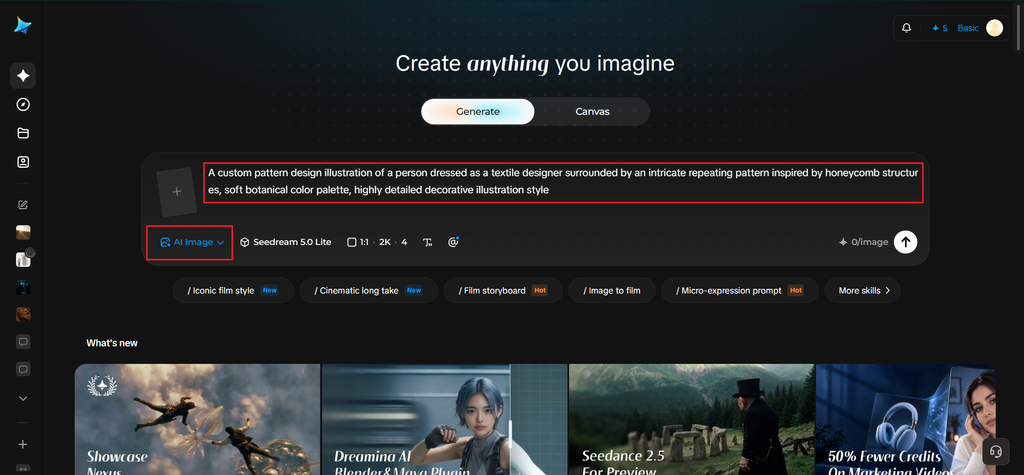
Step 2: Adjust parameters and generate
Select Image 5.0 Pro, powered by Seedream 5.0 Pro, for precise repeating detail and consistent color rendering across the full pattern, then set your aspect ratio, canvas size, and resolution — 1K for quick concept testing, 2K for production-ready pattern files. Click the generate icon to render your design.
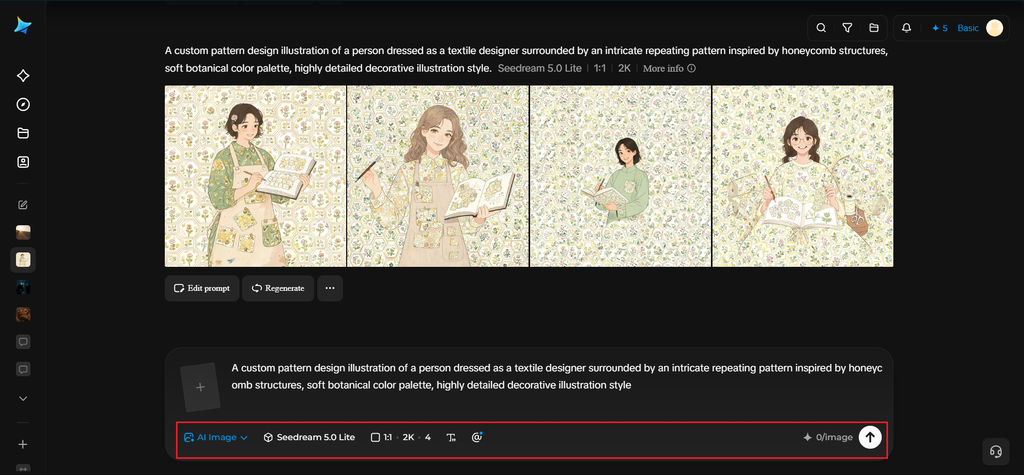
Step 3: Customize and download
Refine the result using Dreamina’s tools: inpaint to adjust specific repeating elements, expand to extend the pattern across a larger canvas, remove to simplify overly busy areas, and retouch for a final cohesive finish. Once it’s ready, click Download.
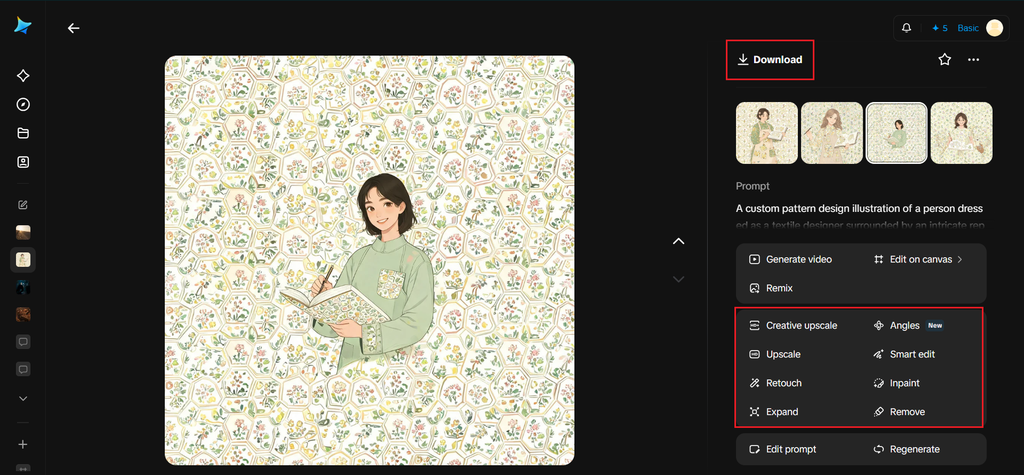
Dreamina and its creative image generation models
Dreamina gives designers access to several distinct image generation models, and nature-inspired pattern work benefits significantly from Seedream 5.0 Pro, the newest and most advanced option available. Its ability to maintain consistent detail and rhythm across a repeating composition matters enormously here, since even a small inconsistency in a pattern becomes glaringly obvious once tiled across a larger surface.
Nano Banana offers faster generation for testing several natural source ideas before settling on the strongest one, while GPT Image 2 handles prompts describing specific structural repetition rules closely, useful for more mathematically precise pattern concepts.
Experiment with natural forms beyond the obvious
Nature offers far more pattern inspiration than leaves and honeycombs. Try coral branching, peacock feathers, seashell ridges, butterfly wing structures, river networks, or mineral formations. Each source brings a different rhythm and geometry, allowing you to create patterns that feel organic without falling into the same familiar botanical style.
Create variation without losing the repeating rhythm
Perfect repetition can sometimes make a pattern feel mechanical. Introduce controlled changes in size, orientation, or spacing while keeping the core shape consistent. This gives the design a more natural character while preserving the visual rhythm needed for a cohesive repeating surface.
Adjusting scale and density for different uses
A pattern intended for a small product label needs a different density than one intended for a large wallpaper application. Describing your intended scale and use case in your prompt helps produce a pattern with appropriately sized, spaced elements from the start.
Choosing a color palette that stays true to the source
While nature offers endless color inspiration, translating it faithfully — the soft greens of fern fronds, the warm golds of honeycomb — keeps the connection to the original natural form recognizable, even once abstracted into a repeating design.
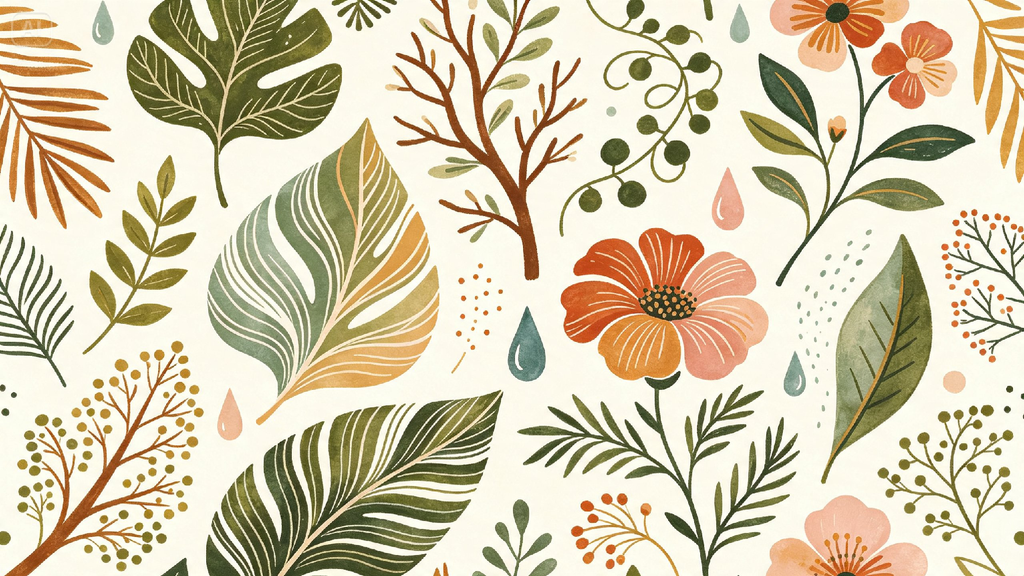
Testing how a pattern behaves once it’s tiled
Before finalizing any pattern, mentally or visually test how the edges align when repeated side by side. A pattern that looks great as a single image can sometimes reveal awkward seams once actually tiled across a larger surface.
Where these patterns end up being used
Nature-inspired patterns find their way into a wide range of applications:
- Textile and fabric design for clothing and home goods
- Packaging and product label design
- Wallpaper and interior surface design
- Stationery, gift wrap, and print collections
Let nature’s design sense work for you
Some of the most satisfying visual designs already exist all around us, waiting to be translated. With Dreamina and the precision-focused rendering of Seedream 5.0 Pro, borrowing that natural elegance for your own pattern work is fast, genuinely beautiful, and free to start exploring today.

