


Cybersecurity training has become important for every business. It is no longer a topic to be discussed with your employees once in a year. Employees now deal with a lot of security risks through suspicious emails, unsafe links or even documents sharing. Use of digital platforms brings these risks almost every day. A single click can crate issues for your whole organization.
However, creating easier to understand and interesting cybersecurity lessons has become a key challenge here. This is because you need to provide them training they can keep in mind for longer. So, text slides and long documents are a bad choice for this because these are relatively difficult to follow and remember. This is especially when workers don’t have a lot of time to spend on these.
AI video creation can make this process easier. Instead of arranging cameras, presenters, voice recordings, and editing sessions, training teams can turn written cybersecurity lessons into videos with AI tools.
Vidnoz AI: A Suitable Solution for Cybersecurity Training Videos
Vidnoz AI is an AI video creation platform that allows organizations to turn scripts and ideas into videos using digital presenters, AI voices, templates, and visual editing features. It can be used for cybersecurity awareness lessons, phishing simulations, password training, privacy reminders, and other internal learning materials.
Security is also an important consideration when an organization uses an online AI platform for business content. Vidnoz AI has achieved ISO/IEC 27001:2022 Certification. It is reflecting recognized information security management practices. This certification provides an important security point when assessing the platform for businesses creating internal training material.
Training teams can build a repeatable video workflow and update content when security policies or threats change instead of producing every lesson from scratch.
Why Cybersecurity Lessons Work Well as Videos?
Cybersecurity concepts can sometimes feel technical or confusing. A video can break them into smaller pieces and explain them through simple examples.
For instance, rather than giving employees a long explanation of phishing, a training video could show a fictional suspicious email, point out warning signs, and explain what the employee should do next.
The same approach can work for:
- Password safety
- Multi-factor authentication
- Social engineering
- Malware awareness
- Safe browsing
- Data protection
- Device security
- Remote-work security
- Phishing prevention
- Reporting security incidents
Short lessons also make it easier to focus on one behavior at a time.
Vidnoz AI Features That Fit Security Training
Here are the Vidnoz AI features which can help you to make cybersecurity training easily.
2,000+ AI Voices for Different Learners
Vidnoz AI offers more than 2,000 realistic AI voices, giving training teams many options for narration. Different languages and speaking styles can help organizations create lessons for employees across multiple locations.
A company can use one voice for formal compliance lessons and another for lighter awareness content, depending on the training subject.
2,800+ Templates to Speed Up Production
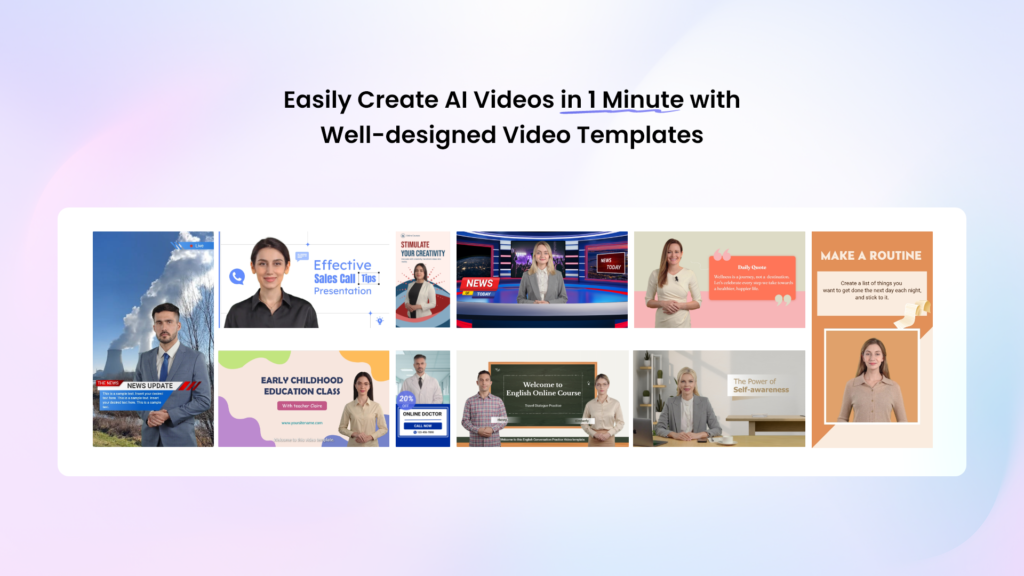
Building every cybersecurity lesson from an empty project can become repetitive. Vidnoz AI provides more than 2,800 templates, including options that can be used for educational and professional content.
Templates can provide a useful starting structure for security announcements, tutorials, employee reminders, and awareness campaigns. Teams can then replace the sample content with information relevant to their organization.
30 Credits of Free Daily Use
Vidnoz AI provides 30 credits of free use every day, giving teams an opportunity to explore the platform and test short training concepts. This can be useful when a security team wants to experiment with different video formats before building a larger training library.
1,900+ AI Avatars
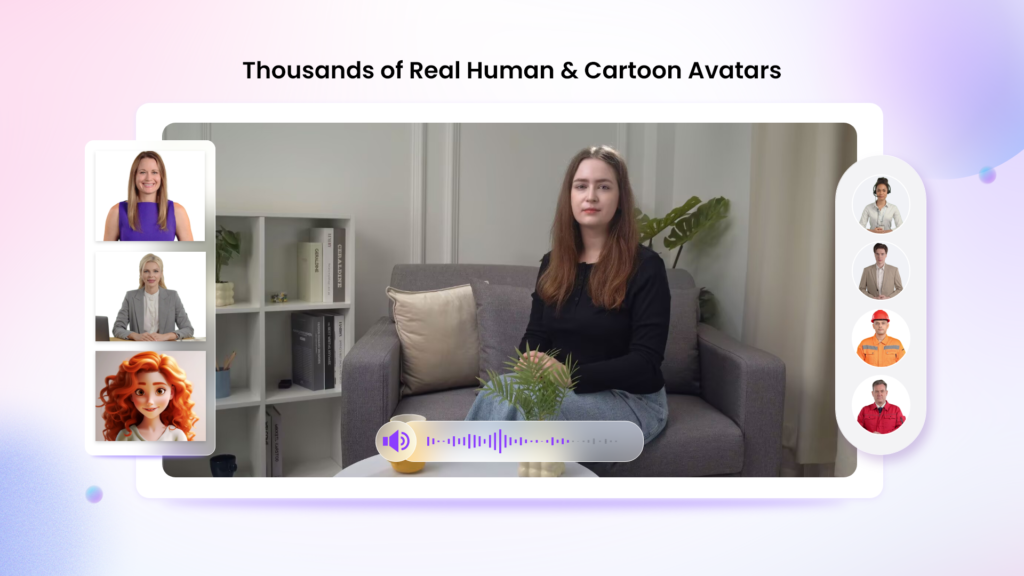
Vidnoz AI offers more than 1,900 realistic AI avatars representing various roles and industries. Training teams can select a presenter that fits the tone of their lesson.
Available styles include professional figures, teachers, hosts, doctors, customer support representatives, chefs, students, and others. A corporate-looking presenter may suit a compliance lesson, while a more approachable character could work for general security awareness.
Vidnoz AI includes different avatar options for different training situations.
- Avatar Lite is aimed at quick video creation. It can be useful for short security reminders that need to be produced without a lengthy setup.
- Expressive avatars with natural gestures and facial movement.
- Motion Avatars add full-body movements, including gestures, posture, and expressions. They can also be used in different cartoon styles, which may be useful for less formal awareness campaigns.
Organizations can also create a digital twin that speaks in more than 40 languages while reflecting the user’s voice. This gives companies another option for multilingual training content.
How to Use Vidnoz AI for Cybersecurity Training?
Here is how easy it is to use vidnoz AI for cybersecurity training.
Select a Training Layout and AI Presenter
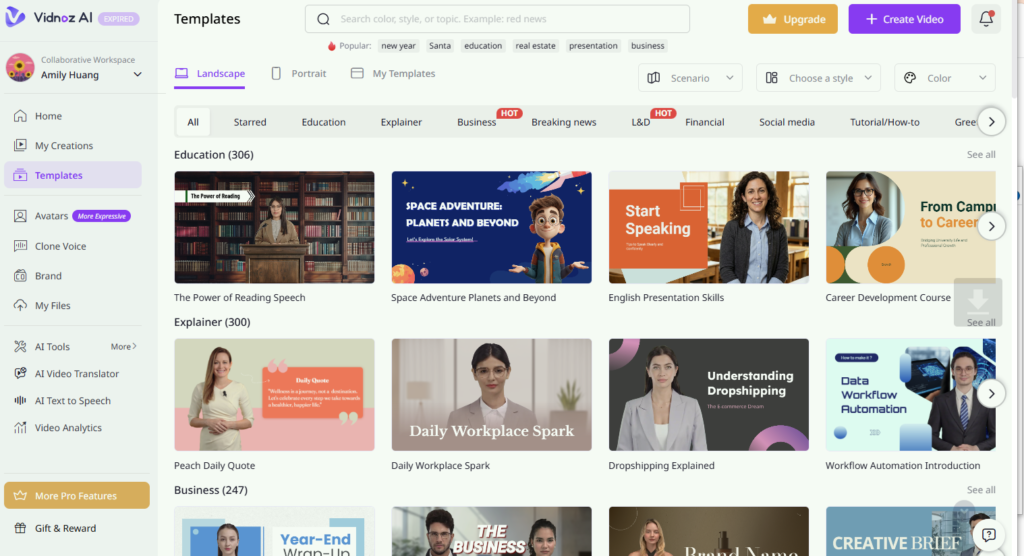
Start by deciding what the lesson needs to teach. Choose a suitable template from the library and then pick an AI avatar that matches the training style. A professional presenter can work for compliance topics, while a friendly avatar may suit awareness lessons.
Add the Security Script and Voice
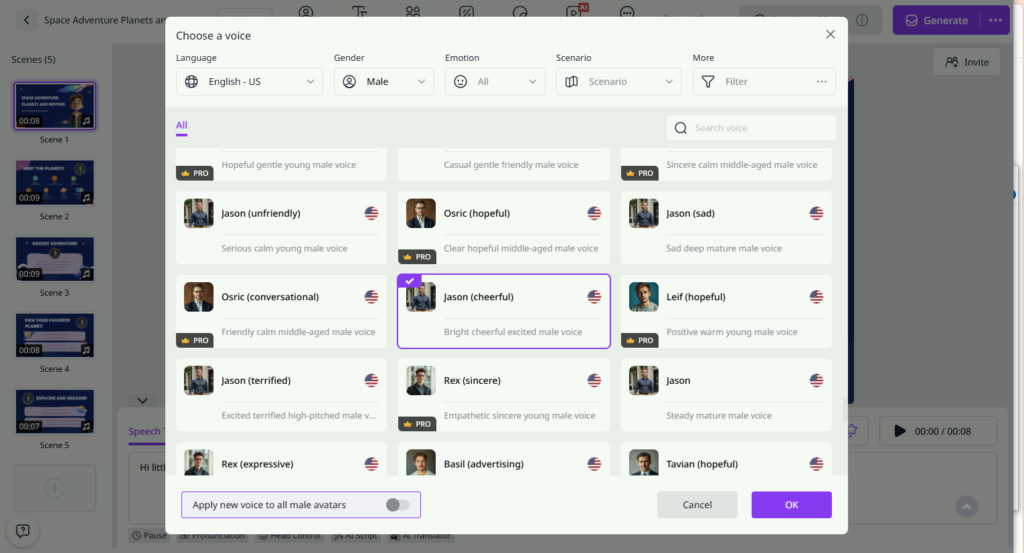
Write a short script covering one cybersecurity subject, then select an AI voice that fits your audience. Choose the required language, tone, and speaking pace. The narration can then be matched with the avatar’s speech for the video.
Add Examples, Captions, and Company Details
Bring the lesson to life with screenshots, warning signs, captions, graphics, and relevant company information. Avoid filling the screen with too much text. Use simple examples that employees are likely to encounter during their normal workday.
Generate the Video and Deliver the Lesson
Generate the finished video and review it carefully for accuracy, especially security instructions and internal reporting details. Once approved, share it through your learning platform, employee portal, email, collaboration tools, or another approved training channel.
Final Thoughts
Cybersecurity training works best when employees understand what a threat looks like and know exactly what action to take. Video can make those lessons easier to demonstrate and remember from phishing awareness and password safety to incident reporting and remote-work security.
Vidnoz AI video generator gives organizations a range of resources for creating this type of content. Teams can turn complex cybersecurity subjects into shorter, easier-to-follow training videos and build an ongoing security awareness program around them.

